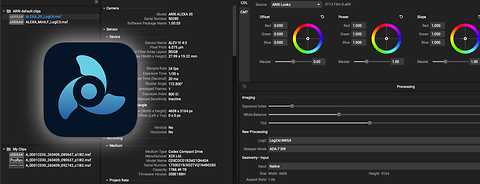
ARRI reference tool in use with logo

ARRI Reference Tool (ART)

The tool for ARRIRAW processing

ARRI Reference Tool, or ART for short, combines the functionality of our previous tools into a single package. You can review clips, check and extract metadata, create and extract look files, and transcode footage to a different format.

The ARRI Reference Tool allows you to render ALEXA 35/ALEXA 35 Xtreme or ALEXA 265 footage using our ARRI Debayer Algorithm ADA-7 and REVEAL Color Science. It is also backwards compatible with all ALEXA and AMIRA cameras, which can be de-bayered to LogC4 and travel through REVEAL as well.

Additionally, ART supports QuickTime/ProRes or MXF/ProRes, as well as the CODEX HDE (High Density Encoding) file format. To keep your footage organized, you can create projects with bins and sequences.

Graphical user interface version (ART GUI 1.8.1)

The following features are included in the current release:

New in View Room

  • Support for the new image proxy mode for faster playback of ARRICORE material

Command line version (ART CMD 1.0.0)

The ARRI Reference Tool CMD is a command line tool that supports the processing of

  • MXF/ARRIRAW according to SMPTE RDD 54/55
  • MXF/HDE according to SMPTE RDD 54/55 MXF/ARRICORE according SMPTE RDD 51/55 and
  • *.ari ARRIRAW and *.arx HDE single file sequences according to the legacy ARRI V3 metadata header.

The following functions are included in this version. For a detailed description of all features with sample scripts, please refer to our ARRI_USER_MANUAL_ART_CMD_v1.0.0.

Trim Mode

  • creation of a trimmed SMPTE RDD54/55 compliant MXF file for ARRIRAW, HDE and Apple ProRes
  • reading of legacy ARRIRAW .ari and output as SMPTE RDD54/55-compliant MXF file
  • creation of a trimmed SMPTE RDD61/55 compliant MXF file for ARRICORE files

Verification Mode

  • for individual (ARRIRAW) clips by recalculating the checksums of the individual video frames and comparing them with the checksums in the clip metadata
  • for two clips by comparing the checksums of the audio and video data for ARRICORE
  • for two clips by comparing the checksums of the audio and video data for Apple ProRes
  • creation of a JSON metadata report file

Process Mode 

  • Processing of ARRICORE, ARRIRAW, HDE and Apple ProRes (MXF and Quick Time *.mov) to Apple ProRes as SMPTE RDD55 compliant MXF file.
  • OpenEXR 16-bit and 32-bit with compression mode in scenes linear
  • Tiff in 16-bit integer in LogC and video color spaces
  • Apple ProRes in LogC and video color spaces & embedded look
  • Output size adjustment also for ProRes clips

Export Mode

  • original audio tracks as *.wav file
  • Static and dynamic camera metadata as .json file
  • reduced data size of JSON output files by omitting large string values
  • option to export metadata to either *.json or *.csv
  • extract (*.aml, *.alf4,*.alf4c) look files and *.cube 3D-LUTs from clips

Recovery Mode

  • recovery of a not-finalized SMPTE RDD54/55/61 compliant MXF clip

Metadata Override

  • subset of static metadata can be overridden during clip processing

Look Creation

  • executable  "look-builder" to create ARRI look files (*.aml, *.alf4, *.alf4c) from up to three *.cube 3D-LUT files


ARRI Look Files and Custom Color Management for ALEXA 35 in ARRI's Reference Tool

Have our Camera Systems expert Sean Dooley explain different ways to manipulate color within the ALEXA 35 with ARRI Look File 4. Use the save-guarded ARRI color pipeline or explore using your own DRTs.

Please note: This applies to ALEXA 265 alike.

ARRI Tech Talk Understanding ARRI Look Files and Custom Color Management for ALEXA 35 Image