CODEX High Density Encoding Logo in front of artificial background

High Density Encoding (HDE)

Encoding ARRIRAW to a smaller file size

Smaller footprint, same quality!

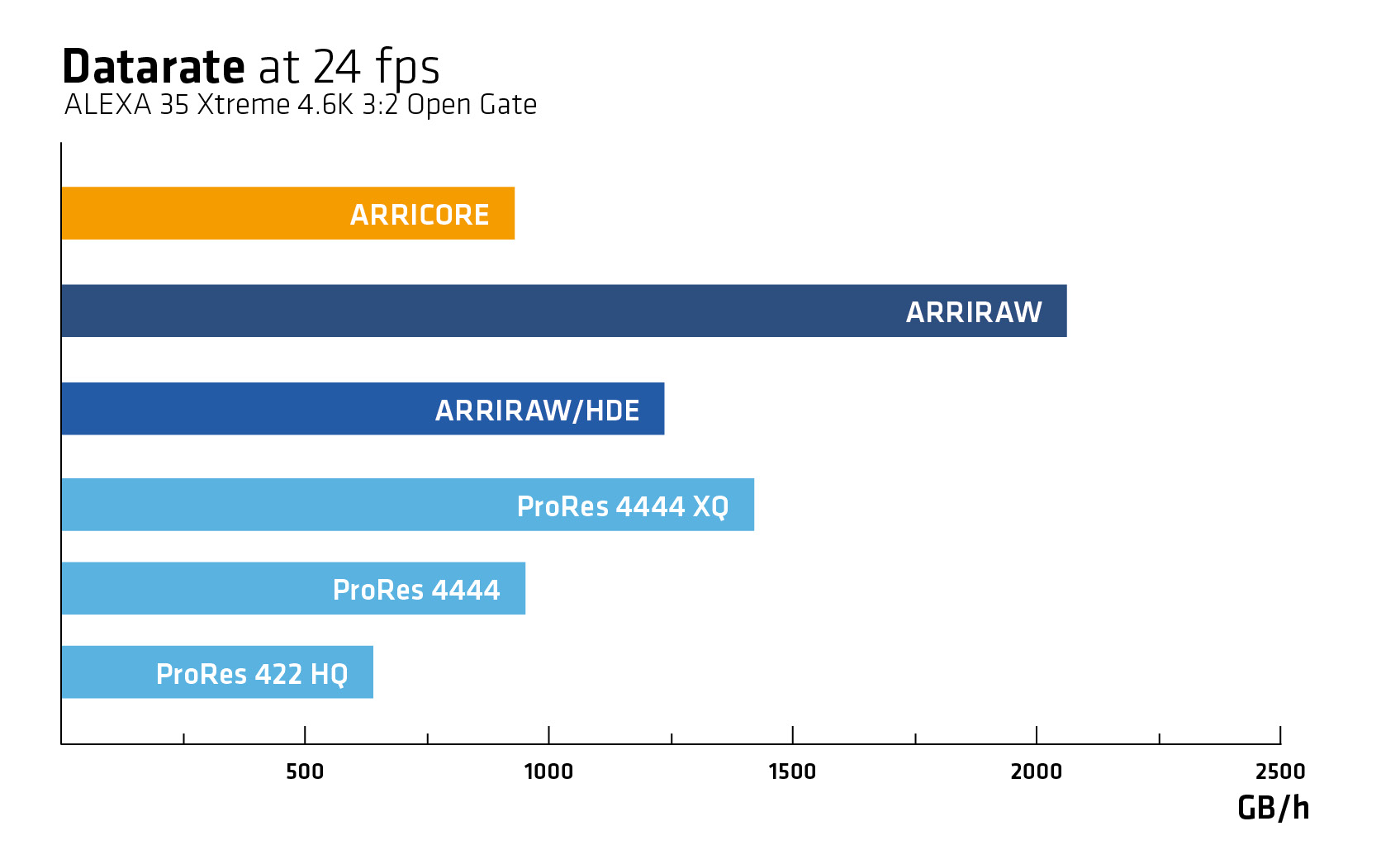
CODEX High Density Encoding (HDE) is a lossless, variable bitrate encoding scheme for ARRIRAW data. It reduces file sizes by over 40% without sacrificing image quality or metadata. It actually delivers a bit-exact match to the original files when it's decoded. HDE makes ARRIRAW easier to handle—cutting storage costs and speeding up transfers while remaining fully transparent to software using the ARRI Image SDK.

Supported by leading content providers and postproduction applications, HDE is widely used on ARRIRAW data shot with any ARRI ALEXA and AMIRA camera. CODEX state that to date, their macOS software has served over 39 billion HDE images.

The HDE process does not require user interaction. It happens in the background and on-the-fly, as the files are copied from the original recording media. For ALEXA 35, 35 Xtreme and ALEXA 265, it is also possible to encode files at a later point in time with the ARRIRAW HDE Transcoder. Learn more…


From frames to clips

ALEXA XT, SXT, LF and 65 cameras are recording ARRIRAW data as a sequence of individual ‘.ari’ files. Each file containing a complete set of static (per-take) and dynamic (per-frame) camera and lens metadata.

ALEXA Mini, AMIRA and ALEXA Mini LF package everything into one MXF file per take. This removes metadata redundancies and significantly improves the efficiency when the original camera files need to be moved or archived.

With the introduction of the ALEXA 35 and REVEAL Color Science, we enhanced the image processing chain and fully aligned it with the metadata handling in MXF files. This led to a restructured, metadata-rich MXF container. Mapping of the ARRIRAW bitstream and carriage of ARRI system metadata in MXF files are defined in SMPTE RDD 54 and 55. The new MXF format is used by the ALEXA 35, 35 Xtreme and the ALEXA 265. 

CODEX originally encoded HDE files into frame-based '.arx' sequences for all cameras up to ALEXA Mini LF. With the introduction of REVEAL Color Science, they also adopted MXF output, which is now available for ALEXA Mini, AMIRA, ALEXA Mini LF, ALEXA 35, ALEXA 35 Xtreme and the ALEXA 265.

 

How to encode ARRIRAW

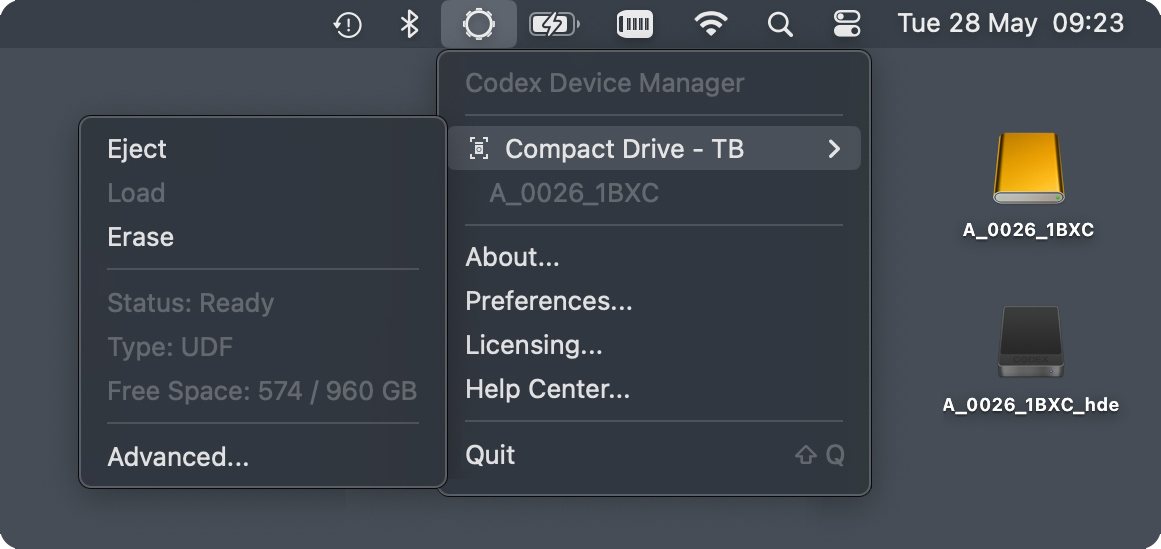
High Density Encoding is a fully automated process that requires no additional steps from the user. The encoder is built into CODEX Device Manager, a macOS menu bar tool which runs a background service that makes the use of HDE as straightforward as offloading ARRIRAW data from the camera recording media:

  1. Insert Media
    Insert the recording media with ARRIRAW camera originals into a media reader attached to a Mac.
  2. Wait for the HDE Volume
    Once mounted, the CODEX background service detects the ARRIRAW data and presents a virtual HDE volume containing the encoded files.
  3. Offload the Files
    Use a compatible copy tool to transfer the HDE files (see the CODEX Help Centre for a list of supported applications).