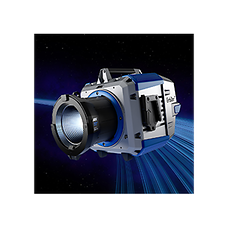
01-lios3-m20-headerimage(1)

LiOS - Lighting Operating System

We are pleased to introduce LiOS 3.3.0 for SkyPanel Pro, SkyPanel X, and Orbiter.

This latest firmware update enhances the DMX Live View functionality and introduces smoothing for DMX Zone Modes for smoother and more consistent lighting control. In addition, various issues and bugs have been resolved to further improve system reliability and performance.

New in LiOS 3.3.0

  • Enhanced DMX Live View functionality
  • Smoothing for DMX Zone Modes
  • Further reliability improvements and bug fixes

We recommend that all users update to LiOS 3.3.0. Please review the release notes before installing the firmware.

Please note that due to the significant changes introduced with LiOS 3.1, a downgrade to versions prior to LiOS 3.1 is not possible.

DMX Live View

DMX Live View provides an at-a-glance overview of active DMX control directly on the fixture, making it easier to monitor and verify externally controlled parameters. With LiOS 3.3.0, this functionality has been further enhanced.

How to update LiOS

LiOS firmware can be updated in several ways:

  • via USB flash drive
  • via the fixture’s web interface
  • via the ARRI Lighting Software Manager (ALSM) for SkyPanel Pro, SkyPanel X, and Orbiter

Update via USB flash drive

  1. Copy the firmware update file to the root directory of the USB flash drive.
  2. Connect the flash drive to the fixture:
    SkyPanel X / SkyPanel Pro: USB-C
    Orbiter: USB-A
  3. Open Flash Drive Functions > Update LiOS.
  4. Select the firmware update file and follow the on-screen instructions.

For detailed information, please refer to the Firmware Installation Instructions.